It’s no secret that I love the iPad. The convenience, size and weight of this portable powerhouse are just perfect.
At various times since owning one I’ve used it to read books, play games, work, connect remotely to other machines, shop, research and of course email. The form-factor have always meant that everything was a joy, except that on-screen keyboard!
It’s not that bad but for an extended period of work I find it a bit awkward. Not only is there no haptic feedback (a little buzz to provide a sense that you’ve actually touched a key), it also covers a large chunk of the screen and can be difficult to use when the iPad’s in landscape mode and you’re holding it in both hands. Some iOS software tweaks have helped by allowing you to split the keyboard so it is closer to your thumbs on the side of the screen and also allowing you to move the keyboard around but it’s still not great.
The iPad has Bluetooth. This allows you to pair with external keyboards but of course you don’t want to compromise portability by carrying a large keyboard around with you. A number of accessory providers started to build keyboard cases but these generally wrap around the iPad to work as a protective case, a stand and the required keyboard. A nice idea that will definitely appeal to some people but, to me, they just don’t fit in with the whole aesthetic of the iPad; you’re taking this sleek device and cocooning it in a tacky plastic/leather case that hides it completely and adds considerable bulk.
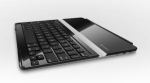
Logitech Ultrathin Keyboard Cover
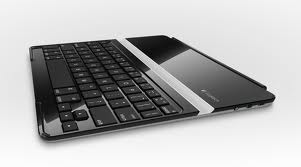
So finally we come to my favourite gadget of the moment, the Logitech Ultrathin Keyboard Cover. For me, this device ticks all the boxes. Not only does it function as an excellent keyboard (with a similar feel to standard Apple keyboards) but it is finished in brushed aluminium like the iPad and so when the two are joined together you have a highly portable package finished on both sides beautifully.
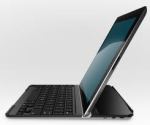
The keyboard cover in use
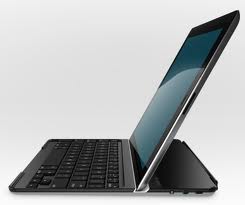
The keyboard cover is very stable and comfortable to use. The iPad fits into an angled slot and is held in place using the inbuilt magnets along the edge. Although it’s designed to hold the iPad in landscape mode it is possible to use it with the iPad in portrait orientation but because there are no magnets in the base of the iPad to keep it in place you do need to ensure you’re using it on a stable base. Initially, it takes a bit of getting use to because rather than move the cursor with a mouse you touch the screen as normal with just the text entry part handled by the keyboard; it sounds obvious but is strange at first.
All in all, I highly recommend this gadget. If you regularly send emails, surf the net or use the iPad for any sort of work then you won’t regret the initial outlay and you’ll wonder how you lived without it!
Poppa G

 Poppa Gadget